What Is a Pixel LED Controller?
If you’ve ever stood in front of a dynamic neon sign that shifts from pink to purple in waves, watched a building’s facade sync to a holiday playlist, or stared at a video display made of tiny, color-changing dots that looks just like a TV, you’ve seen the work of a pixel LED controller. As an LED controller supplier who’s been deep in this space for years, I’ve learned most people only know the basics of these devices: they’re what makes LEDs change color. But the truth is, they’re the unsung brain behind every seamless, dynamic LED display. Let’s break down what they actually do, why they matter, and why our products are built to make your projects run smoothly. LED Controller
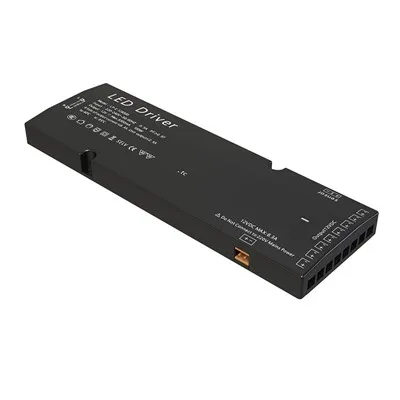
First, let’s define the basics. A pixel LED (also called an addressable LED) isn’t your standard LED bulb. A regular LED glows a single solid color when connected to power—you can’t change its brightness or hue individually without rewiring it. A pixel LED, though, is tiny and self-contained: each one has its own microchip that controls its red, green, and blue (RGB) channels, so you can set each dot to any color, brightness, or even make it flicker on demand. But here’s the catch: a single pixel can’t communicate with all the others on its own. If you want 10,000 pixels to form a full-motion video, or make a marquee spell out text that scrolls left, you need a central device to tell every dot what to do. That device is the pixel LED controller.
Think of it like a conductor leading an orchestra. Each musician (pixel) has their own instrument and sheet music, but they only play in sync because the conductor gives them a unified timeline and instructions. Without the conductor, the musicians would play at their own pace, creating noise instead of music. The controller does the same for pixel LEDs: it sends signals that tell each individual pixel when to light up, which color to display, and for how long.
Now, let’s get into how it actually works, because this is where a lot of people get confused. Most pixel LED systems use a one-wire communication protocol, like the WS2812B chip (one of the most common pixel LEDs on the market). The controller sends a stream of data bits over that single wire to every pixel in the chain, and each chip reads the signal that’s meant for it, ignoring the rest. For example, if you have 500 pixels wrapped around a storefront’s awning, the controller sends data to pixel 1 first, then pixel 2, all the way to 500, then loops back to start again. The speed of this data transfer is critical: if the controller is too slow, the animation will lag; if it’s too fast, the pixels will miss the signal and act erratically.
Controllers also handle power distribution, which is another key part of their job. Pixel LEDs draw different amounts of power depending on their color and brightness. A bright white pixel draws way more power than a dim blue one, and if you have 10,000 pixels all set to full brightness, you need a power supply that can keep up—and a controller that regulates the flow to prevent overheating or dim spots. I’ve seen too many projects fail because someone skipped a quality controller and their LEDs flickered or burned out after a week; that’s why we prioritize controllers with built-in power monitoring that adjusts voltage in real time to match the pixel count and brightness level.
There are two main types of pixel LED controllers, and choosing the right one depends on your project. The first is a stand-alone controller, which has pre-programmed animations, patterns, and color sequences built in. These are perfect for small, simple projects: a backyard holiday light display, a small retail sign, or a bedroom accent wall. You don’t need a computer or software to run it—just plug in your pixels and a power supply, and select a pattern with a remote control. They’re affordable, easy to set up, and great for beginners.
The second type is a PC-based or art-net controller, which connects to a computer or lighting software like MadMapper, Resolume, or QLab. These are for larger, more complex projects: building facades, concert stage displays, or video walls that need to sync to audio or video. With these controllers, you can import custom videos, design animations from scratch, and sync the LED display to a song or live feed. They give you way more creative control, but they require a bit more technical know-how to set up.
A lot of people ask me: why not just use an Arduino or a Raspberry Pi instead of a dedicated pixel LED controller? It’s a fair question. Small projects can work with a DIY setup, but for anything beyond a few hundred pixels, custom solutions fall apart quickly. Arduinos and Raspberry Pis have limited processing power, so you’ll get lag if you try to run a full animation on 1,000 pixels. They also don’t have built-in protections for power surges, so your pixels are at risk of burning out. And if you’re working on a commercial project, you need a controller that’s reliable enough to run 24/7 for months—something off-the-shelf single-board computers aren’t built for. Our controllers are designed for commercial and industrial use, with built-in surge protection, long lifespans, and the ability to handle thousands of pixels without lag.
Let me share a real example to put this into context. Last year, a client came to us with a project: a 50-foot LED display for a shopping mall’s holiday season, featuring Santa’s sleigh flying across the building, synchronized to the mall’s festive playlist. They’d tried using an Arduino setup, but the animations stuttered, and after three days, half the pixels were dead. We swapped their custom controller for one of our high-performance art-net controllers, adjusted the power distribution, and they were able to run the full video without any lag. The display ran flawlessly for eight weeks straight, and they reached out again this year to expand it to another wing of the mall. That’s the difference a good pixel LED controller makes: it’s not just about controlling lights—it’s about ensuring reliability so your project doesn’t fall flat.
Another thing that sets our controllers apart is compatibility. The LED market has a lot of fragmented parts: different pixel chips (WS2812B, SK6812, APA102), different communication protocols, different pixel counts. Some controllers only work with one type of pixel, which forces clients to stick to a single manufacturer’s parts. Our controllers are built to work with nearly all addressable RGB pixels on the market, so you can choose the best pixel for your project—whether you need waterproof pixels for an outdoor installation, flexible pixels for a curved sign, or high-density pixels for a video wall. That flexibility is key for clients who want to customize their projects without being limited by their controller.
We also take into account ease of use. Not everyone on a construction or design team is a lighting engineer, so our controllers come with user-friendly software that lets you set up animations, adjust brightness, and troubleshoot without needing a degree in electrical engineering. For stand-alone controllers, the remote control has simple buttons to cycle through patterns, adjust speed, and change colors—no complicated setup required. For art-net controllers, our software includes pre-made templates for common patterns, so you can import a video and get it running in minutes instead of hours.
Now, let’s talk about common mistakes people make when choosing a pixel LED controller. The first is underbuying: they pick a controller that can handle fewer pixels than their project needs, leading to lag or missed signals. For example, if you have 2,000 pixels, you need a controller that can handle at least that number—some cheaper controllers can only handle 500, so trying to chain them will cause errors. The second mistake is ignoring power, as I mentioned earlier. A controller can’t compensate for an underpowered supply; if you set 2,000 pixels to full white, you need a power supply that can deliver enough current, and the controller should be able to distribute that power evenly. The third mistake is not considering future expansion. If you’re planning to add more pixels to your project down the line, get a controller that can handle more than your current count, so you don’t have to replace it later.
At the end of the day, a pixel LED controller is the foundation of any addressable LED project. It’s the part that turns a bunch of tiny dots into a cohesive, dynamic display. Whether you’re a designer working on a retail sign, a contractor doing outdoor holiday lighting, or an engineer building a large-scale video wall, the right controller will make your project look better, run smoother, and last longer.

If you’re planning an LED project and want to make sure you’re using the right pixel LED controller—whether it’s a stand-alone option for a small accent wall or a high-performance art-net controller for a large-scale display—we’re here to help. Our team has years of experience working on all kinds of LED projects, and we can help you choose the right controller, troubleshoot setup issues, or customize a solution that fits your exact needs. Don’t let a bad controller derail your project—reach out to us to discuss your requirements today.
Mirror Sensor Switch References
- Baxi, R. (2021). LED Lighting Technology: Principles and Applications. CRC Press.
- Smith, J. (2019). Addressable LED Systems: Design, Installation, and Maintenance. Lighting Industry Association.
- Wang, L. (2022). Communication Protocols for LED Displays: One-Wire and Art-Net Standards. Journal of Display Technology.
- LED Supply Association. (2020). Best Practices for Power Distribution in Pixel LED Installations. Industry Technical Bulletin.
Dongguan Lanbaoli Intelligent Technology Co., Ltd.
As one of the most professional led controller manufacturers and suppliers in China, we’re featured by quality products and low price. Welcome to buy advanced led controller for sale here from our factory. If you have any enquiry about quotation, please feel free to email us.
Address: 10th Floor, Building 32, Golden Town, No.7 Technology Avenue, Houjie Town, Dongguan City, Guangdong Province
E-mail: anna@lampow.cn
WebSite: https://www.lblsensor.com/
